Maximum features with minimal noise
Spectral has quite a few features:
- Writing, editing, and archiving notes
- Classifying notes
- Prioritization
- The summoning feature that started it all
- Grouped view
- Robust filtering & search
- Tracking progress
- Batch editing
- Offline support
- Cross-device sync
- …and more
But one of my main goals when creating Spectral was keeping the UI quiet and intuitive.
My philosophy is this: if a user wants to do something, it should be obvious how to do it. They shouldn’t have to search through different menus, settings, or folders.
I believe this to be true for everything: creating, editing, finding, tagging, and prioritzing notes, and even batch operations, managing tags, etc.
However, I did not want this to create a noisy UI. Few things bother me more in products than an interface that yells at me with buttons and sidebars and cog icons and dots and burgers and so on.
So Spectral notes, by design, are very quiet:
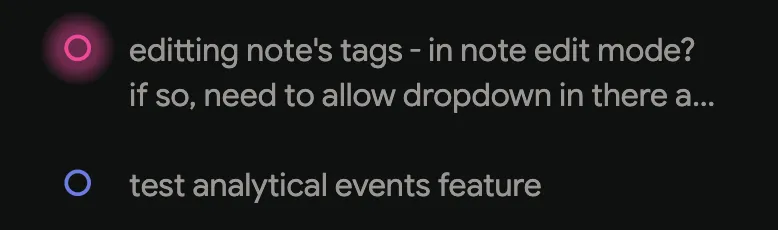
As you can see, the only ‘meta’ indication is whether a note is glowing (prioritized) or not.
Some notes have even higher priority, and they live in their own ‘today’ section:
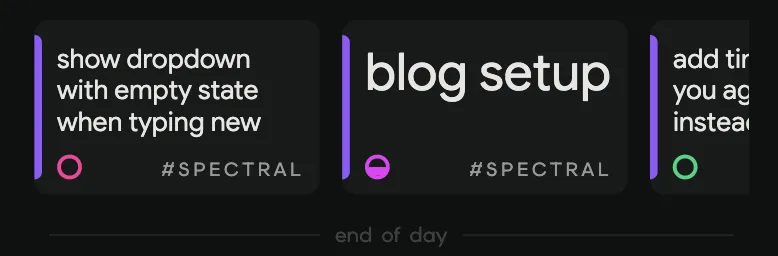
See how the indicator on the blog setup note is half filled? That’s Spectral’s version of this note is already in progress - again: very minimal, but still indicative and useful.
Other apps allow you to customize these to no end. Is this “in progress” or “working on it” or “waiting on review” or “blocked by legal” or - whatever. That is not aligned with Spectral’s philosophy of simplicity.
What about all the features we mentioned before, where do those go? Well intuitively, if you want to edit a note, you should go… into the note:
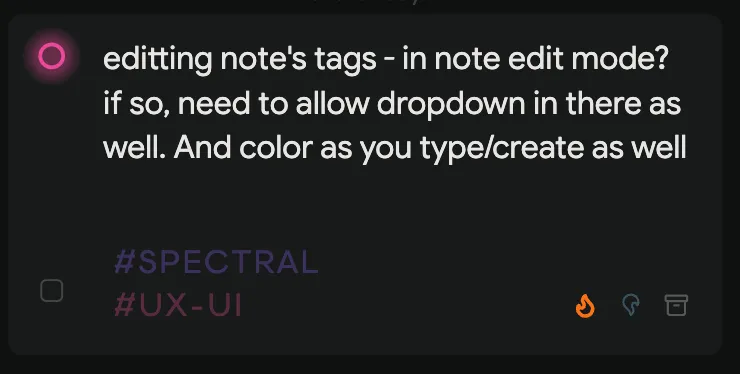
Tapping on a note in mobile, or hovering over one on the desktop app, reveals everything you need to manage it: updating its tags, priority, archiving it, or checking the box on the left there to start selecting multiple notes for batch operations.
Spectral, again by design, is not an Everything App. And it is not for everyone.
Some people want more than a main tag and a sub-tag for categorization. Some people need folders within folders, and status indicators with lower resolutions than ‘not started’, ‘started’, and ‘done’. Some people want to mark low, medium, high, urgent, burning, and cataclysmic priorities, not just ‘important’ and ‘today’.
That’s fine. There really are plenty of note/task-manager tools out there.
But if you’re looking to go from WhatsApp notes/scribbled sticky notes on your desk to something a little more managed, without going all out on a full work management platform - then Spectral may just work for you too.
p.s: just because Spectral is minimal, doesn’t mean it’s done. There are more features coming, believe it or not, without causing noise or bloating the app.
Basic calendar integration, for example. Or notes that I jot down and eventually need to push to other platforms like Notion or monday.com.
…and more, but all in due time.